
Case study · Solar operations software
One system for every solar installation, from first call to commissioning.
We built Deep Sky Power Technologies a CRM and field-operations platform that carries a customer from the first enquiry to a commissioned plant, with office and field teams working from the same record.
- Client
- Deep Sky Power Technologies
- Industry
- Residential and commercial solar, Kerala
- What we did
- Custom software development, Platform engineering, Cloud-native architecture
- Status
- Live
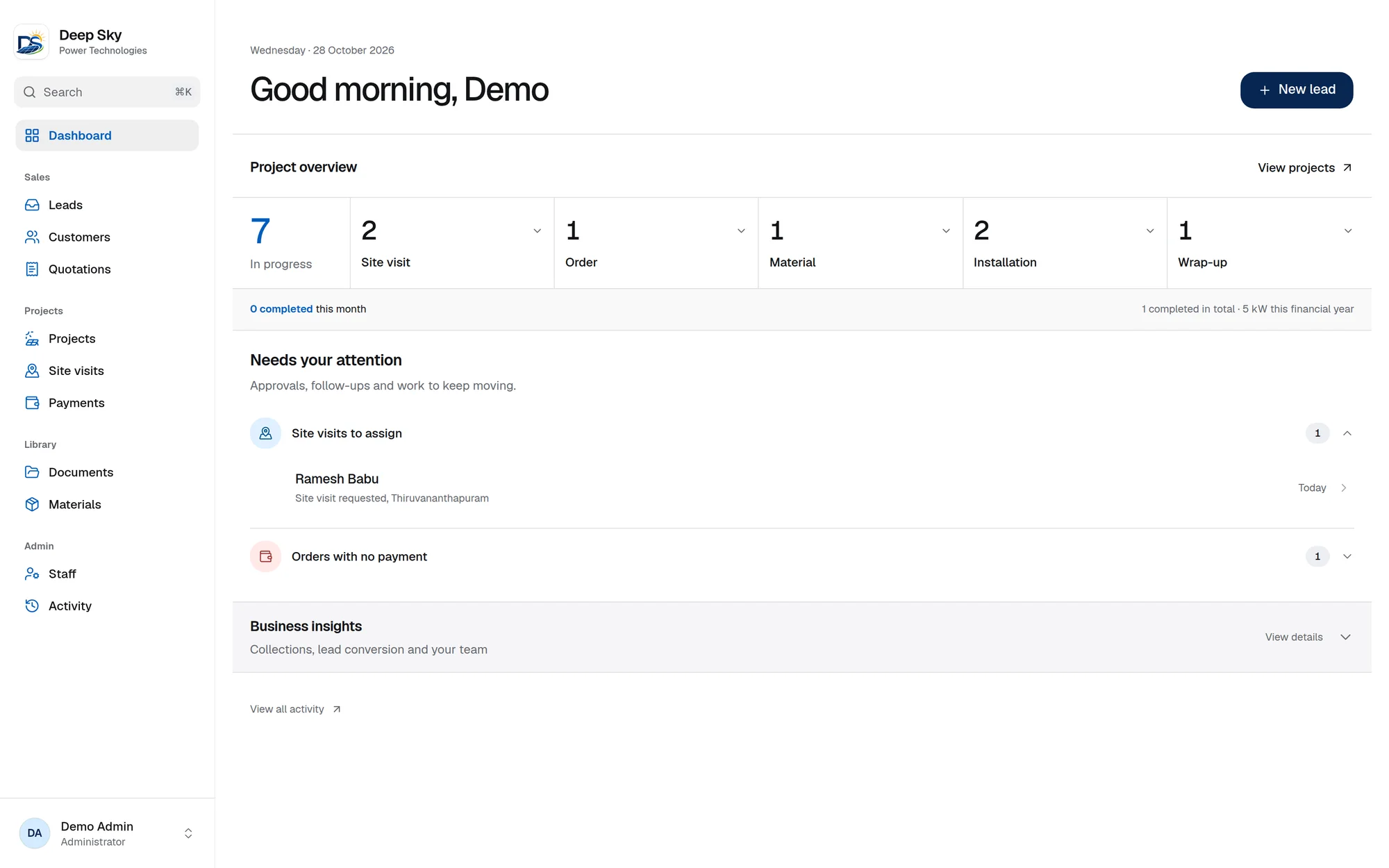
At a glance
11
Project stages tracked, from site visit to completion
3
Roles, each seeing only what their job needs
6 wks
From first commit to a working system
4+ yrs
Customer documents retained, as the business requires
The brief
A solar installer’s work crosses many hands and a lot of paper.
Deep Sky installs residential and commercial solar under India’s PM Surya Ghar scheme. A single project involves a salesperson, a site surveyor, an installation crew, the electricity board and the customer’s bank, and each step has its own documents. The team needed one system that matched how they actually work.
One record per customer
Enquiries, site details, quotations, payments and documents had to live against the same person and project instead of in separate places.
A pipeline the whole team can read
Every installation moves through the same eleven stages. Anyone should be able to see where a job stands and what moves it forward.
Software that works on a roof
Field staff log visits and move projects on from a phone, often on a poor connection, with photos of the roof and the meter.
Paperwork without retyping
PM Surya Ghar projects need a fixed set of agreements, reports and checklists. The data is already in the system, so the documents should write themselves.
The solution
Built around the way a project really moves.
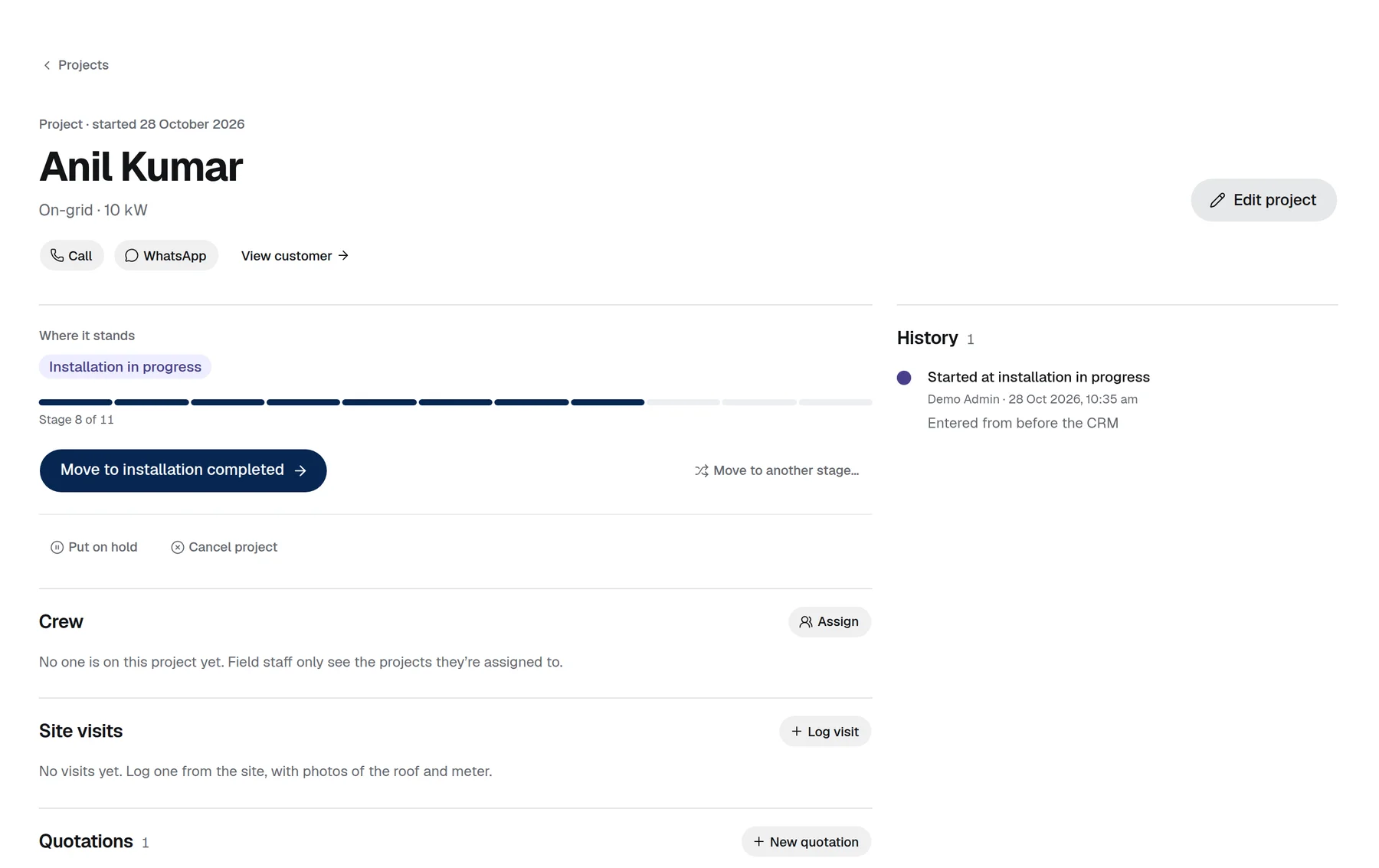
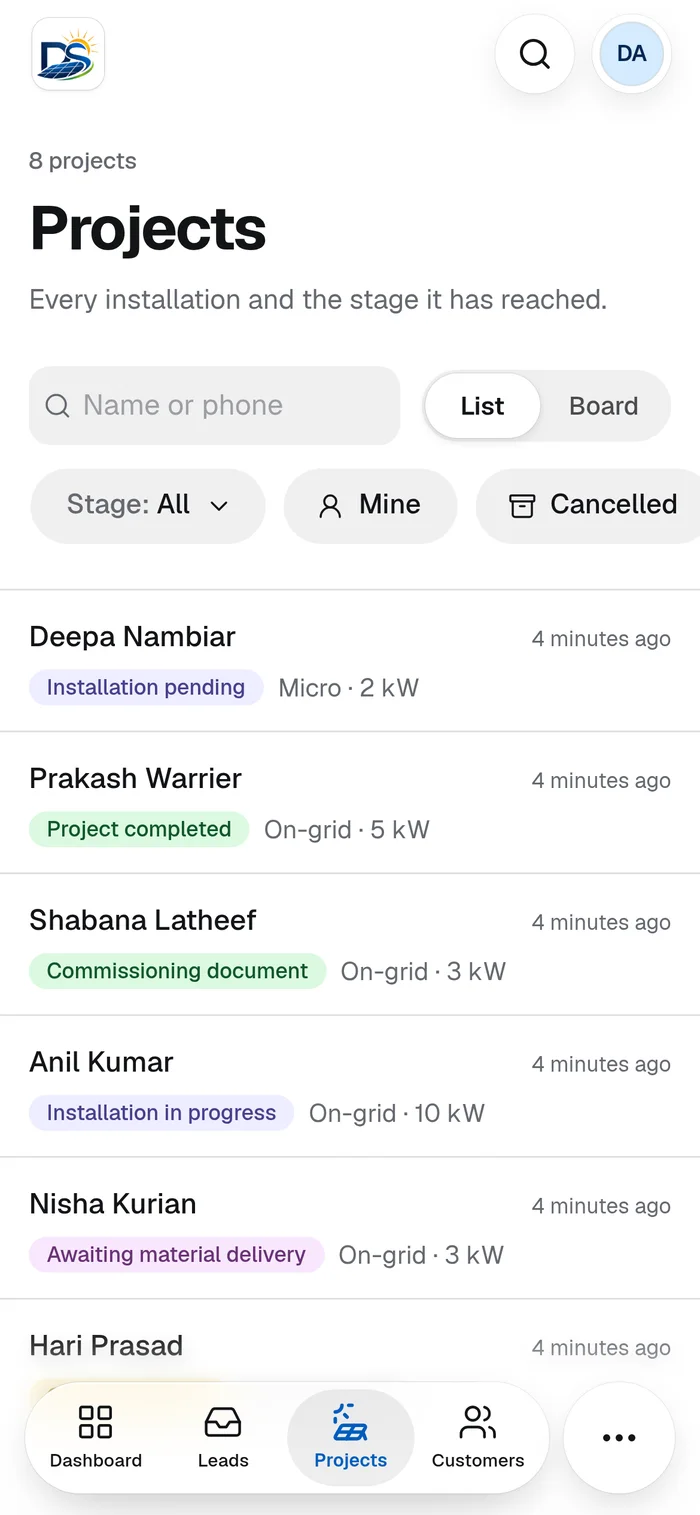
Eleven stages, one clear next step
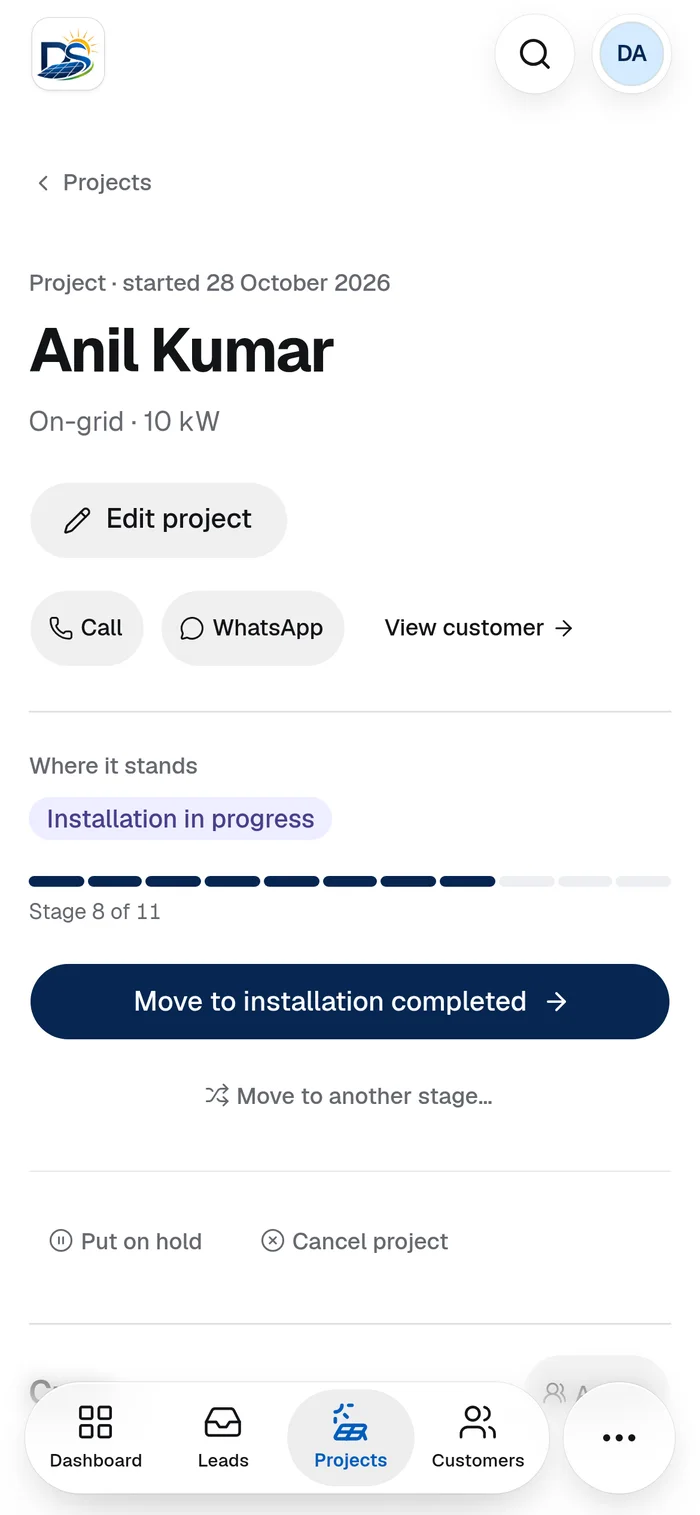
Every installation follows the same path, from site visit requested to project completed. The project page shows where a job stands and offers the single action that moves it forward.
- List and board views of every project and its stage
- A stage history with who moved it, when and why
- Hold or cancel a project with a recorded reason
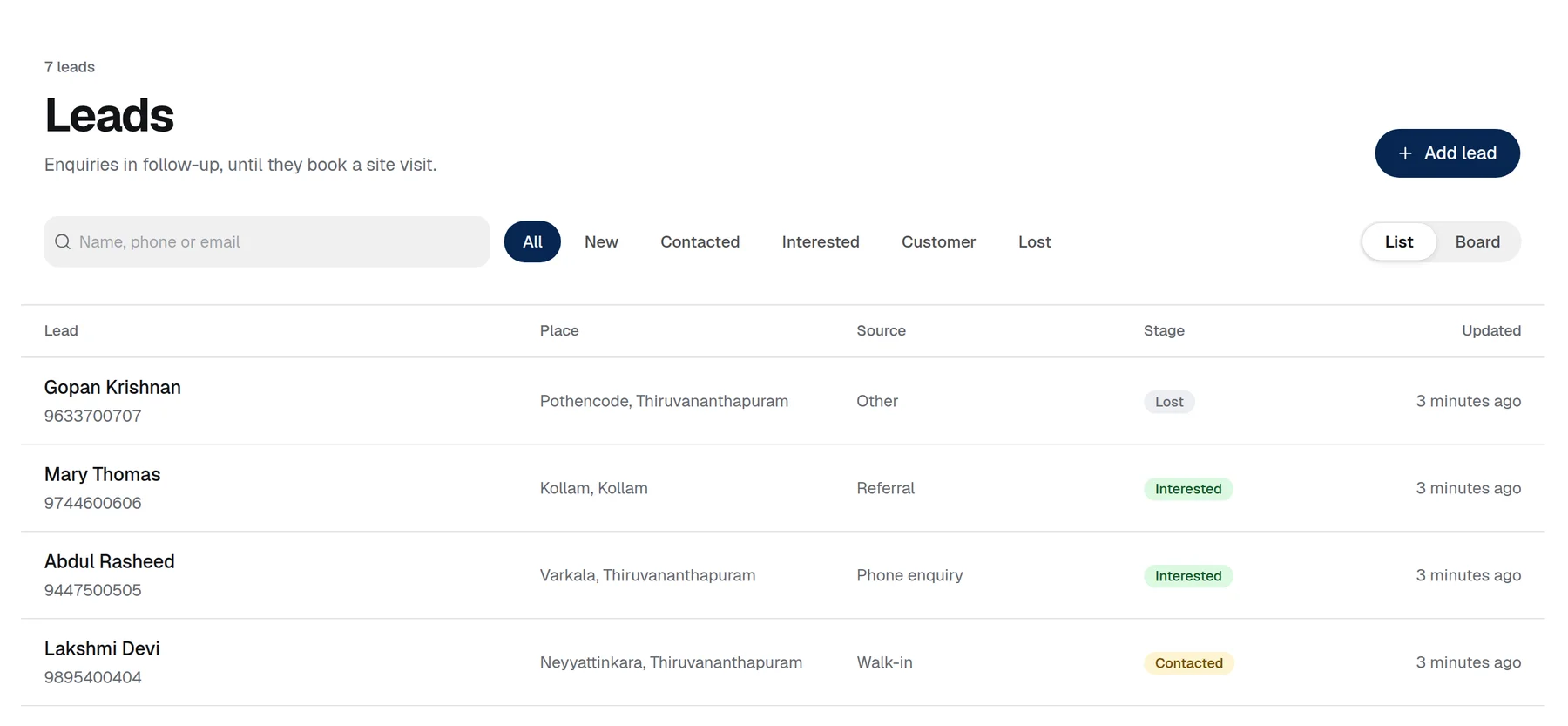
From enquiry to customer without retyping
Leads from referrals, ads, walk-ins and the website are tracked by stage. Converting a lead creates the customer and their first project in one step.
- Website enquiries arrive in the same list as phone and walk-in leads
- Lost leads keep their reason, so the numbers stay honest
- Phone and WhatsApp links on every record
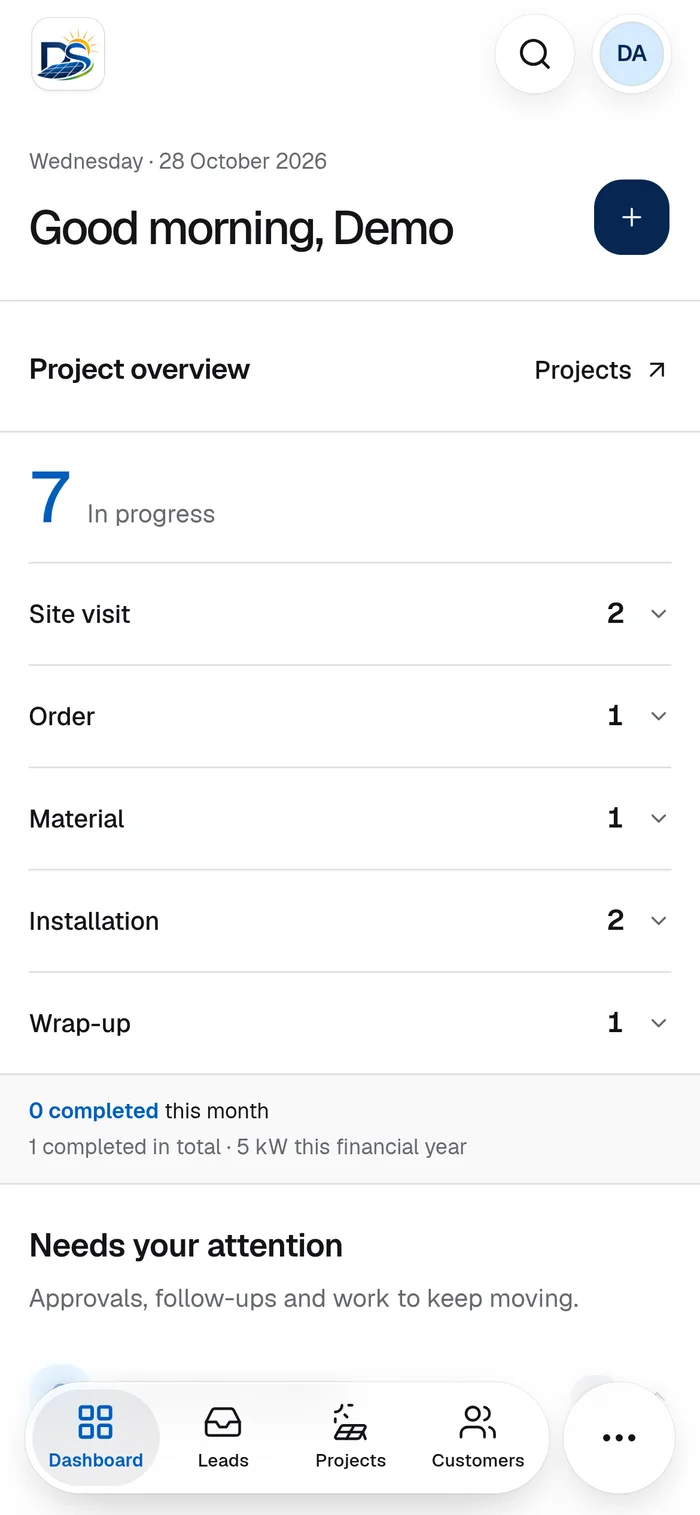
Made for a phone on site
Field staff see only the projects they are assigned to. The app installs on a phone like a native one, with a bottom tab bar, large touch targets and quick actions for calling the customer or logging a visit.
- Installable web app with native-style navigation
- Site visits with photos of the roof and meter
- Access limited by role, so crews never see office-only data
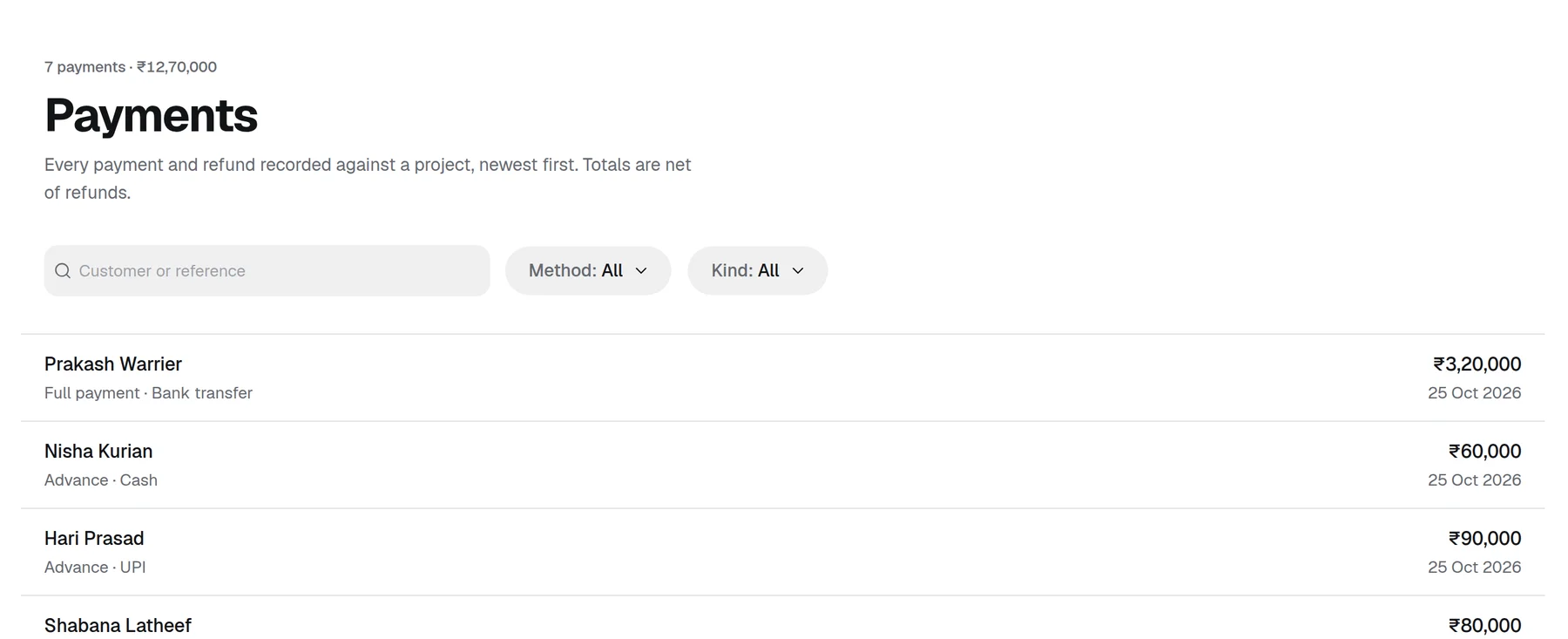
Every rupee recorded against a project
Advances, milestone payments and refunds are logged against the project they belong to, so the team can see what has been collected and which orders are still waiting for a payment.
- Receipts and refunds by UPI, bank transfer, cash, cheque or card
- Amounts stored as exact integers, so totals never drift
- A dashboard alert for orders with no payment yet
The paperwork pack, generated from project data
Deep Sky supplied their official templates. The platform fills them in from the customer, system and electricity connection already on the project, and renders print-ready PDFs.
- Quotations built from a standard materials catalogue and fees
- Fonts embedded in the PDFs so they render the same everywhere
- One shared document engine, so each new template is quick to add
Generated as PDFs
- Vendor feasibility report
- Scheme agreements
- ALMM declaration
- Installation record
- Commissioning record
- KSEB inverter checklist
- Completion report
- Customer quotations
Built to be trusted
Customer records are only useful if people can rely on them.
Roles and access
Admin, office staff and field staff each get their own view. Sign-up is closed, so only admins create accounts, and deactivating someone ends their sessions.
An audit trail
Changes are logged and visible to admins in an activity feed, so it is always clear who did what and when.
Documents that last
Customer files live in object storage rather than the database, and are kept for the four-plus years the business needs.
Backed up and recoverable
The database is backed up nightly to separate storage, and deploys run only through CI after checks pass.
A modern stack that is cheap to run and easy to extend.
The app and API ship as one Cloudflare Worker, so there are no servers to look after.
- Frontend
- React 19, Vite, Tailwind CSS 4, shadcn/ui, TanStack Router and Query
- API
- Hono on Cloudflare Workers, with Zod schemas shared by API and web
- Data
- Cloudflare D1 with Drizzle ORM, versioned migrations
- Files
- Cloudflare R2 for customer documents and photos
- Auth
- better-auth with cookie sessions, forced first-password change, sign-in rate limiting
Why Cloudflare
Why Cloudflare, and not AWS or Google Cloud?
We work with AWS and Google Cloud too, and choose the platform for the job. For this one, Cloudflare was the simplest way to deliver something dependable.
One platform, no servers
The app, API, database and file storage all run on Cloudflare. There is no network, load balancer or server fleet to design, patch and pay for, which suits a CRM for a single business.
Costs that fit the workload
Pricing follows usage, so a business of this size pays for what it uses. Serving customer photos and PDFs from R2 carries no egress fees.
The client owns it
Staging lives in our account, but production is deployed into Deep Sky’s own Cloudflare account, so the data, billing and access stay with the business from day one.
Less to operate
Deploys run through CI on every release, the database is backed up nightly to separate storage, and there is no cluster to keep alive. A small team can run it confidently.
When a project needs heavy compute, a large relational database or specialised managed services, AWS or Google Cloud is often the better fit, and we would say so.
Where it stands
Delivered in weeks, and growing with the business.
The first working version was built in six weeks and is now live, with Deep Sky’s office and field teams working from the same system.
Because the platform is built on shared schemas and a single document engine, new needs such as a customer portal or further paperwork templates can be added without reworking what is already there.
Work with Xenora
Running a business on spreadsheets, chats and paperwork?
Tell us how your work moves today and we will show you what one connected system could look like.